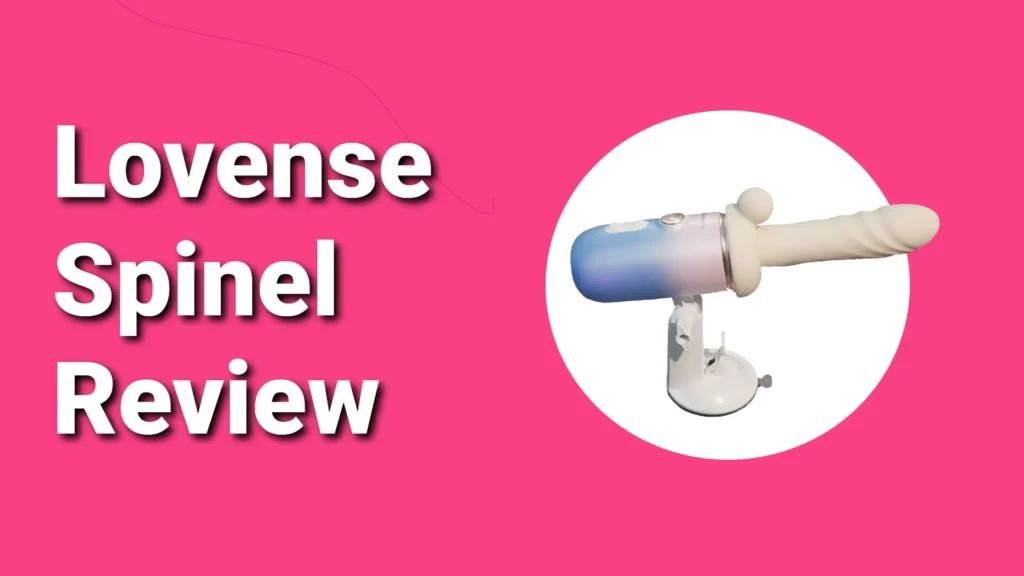
Hey everyone, welcome back to another Lovense deep dive. Today I have the brand-new Lovense Spinel in front of me, and I am buzzing to tell you everything about it. If you are new here, Lovense makes interactive toys for men and women, and the Spinel is their latest drop, a mini handheld or hands-free sex machine. I have a ton to cover, so let us jump straight in.
Every single time I unbox Lovense, the first thing people ask is, “Does it arrive discreet?” Short answer: yes. My box showed up with a plain shipping label and zero mention of Lovense anywhere. It looked like any random parcel. I always show the outside first for that exact reason. Now let us crack it open.
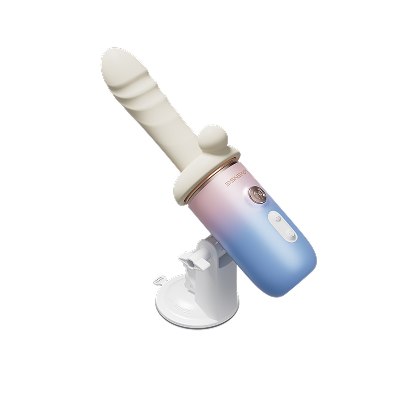
The box calls it the “Lovense Mini Multi-Attachment Sex Machine.” It comes with three attachments, self-heating, and you can use it handheld or with the suction cup for hands-free fun. Front of the box has a big picture of the Spinel and a QR code in the bottom right to grab the Lovense Remote app. The back lists everything inside.
I peeled off the cellophane, and as always, Lovense packs like a dream, tons of padding. Inside I found the curved G-spot attachment, the straight dildo, the 150-degree adjustable handle, the clit stimulator sleeve, the hands-free suction cup, the USB-C cable, the spare charging-port cover, the Spinel itself, and the user manual. I even checked under the padding to make sure nothing was hiding.
On the front of the Spinel are three buttons. The big silver one in the middle turns it on. The two smaller ones above handle thrust and vibration.
To swap attachments, pop the top cap off. There is a black rim in the centre, peel that off first or the notches will not line up. Line the notches on the dildo or G-spot piece with the Spinel, twist clockwise to lock. Twist the other way to remove. Super simple for cleaning or switching.
Peel the rubber panel off the back. Line the notches on the Spinel with the suction cup, there is only one way it fits. Push in and twist to lock. There is a screw on the side: loosen, angle it how you want, tighten. On the base is a little arm, push it down to suck onto any flat surface, lift to release. Rock solid.
Want to hold it instead? Twist the suction cup off. Line the handle notches with the back of the Spinel, twist to lock. There is a slide button on the side, push it down, swing the handle up to 150 degrees, let go to lock the angle. Perfect for getting just the right position.
Charging port is right next to the mount point on the back. Standard USB-C, plug it in. When you are done, pop the rubber cover back on to keep it IPX6 splash-proof and dust-proof. Do not submerge it.
Take the cap off, slide the clit sleeve over the top (no twist lock). Then put your dildo or G-spot attachment on top and twist that into place. The main attachment holds the sleeve secure. Works with both heads.
Hold the silver button until the green light flashes. Press the flashing green button to start vibration, press again to cycle patterns. Press the top button for thrust, press again for speed changes. Silver button pauses, hold it to power off.
Warming: hold the green button until it turns orange. Takes about five minutes to hit 43 °C, and you can keep using it while it heats. Hold the orange button to turn it off, light goes back to green.
Bluetooth on, Spinel on, app installed. Open Lovense Remote, hit the plus in the top right, choose “add toy.” It scans, Spinel shows at the bottom. Tap it, it connects, then moves to the top with battery percentage.
Toy name lets you rename it whatever you want. Toy strength caps the max power so it never goes too hard, even with a partner. Serial number is still a mystery to me. Enable LED turns the lights on or off. Heating toggles from the app. Turbo mode time sets how long turbo runs. Continue if disconnected keeps buzzing while it reconnects. Connect to last level jumps back to your last intensity if it drops. Firm update brings new patterns. There is an online manual and a delete toy option.
Hit “remote.” Two pink balls at the bottom. Left ball controls vibration, right controls thrust. Drag one on top of the other to link them, works across multiple toys. Tap and hold to separate again.
Right-side icons include Loop, which repeats any pattern you draw. Float holds balls where you leave them for steady speeds. Traditional is the old-school sliders. Local sync lets toys trigger each other via sensors. Record lets you draw a pattern, hit record again, and it saves.